
Test status transitions
This feature is available starting from release 26.2.1.4
A status transition is a test result attribute that shows how the result for a given test case changed compared to its previous execution. Allure TestOps assigns a transition label automatically when processing a launch.
Transitions take environments into account. If two launches differ by environment — for example, Browser = "Chrome" vs. Browser = "Firefox" — results for the same test case are compared separately within each environment.
Available transitions
| Icon | Name | When assigned |
|---|---|---|
 |
New result | The test case appears in launches for the first time, or appears for the first time in a given environment. |
 |
Regressed | The result transitioned from PASSED or BROKEN to FAILED in the current launch. |
 |
Malfunctioned | The result transitioned from PASSED or FAILED to BROKEN in the current launch. |
 |
Fixed | The result transitioned from BROKEN or FAILED to PASSED in the current launch. |
Filter by transition
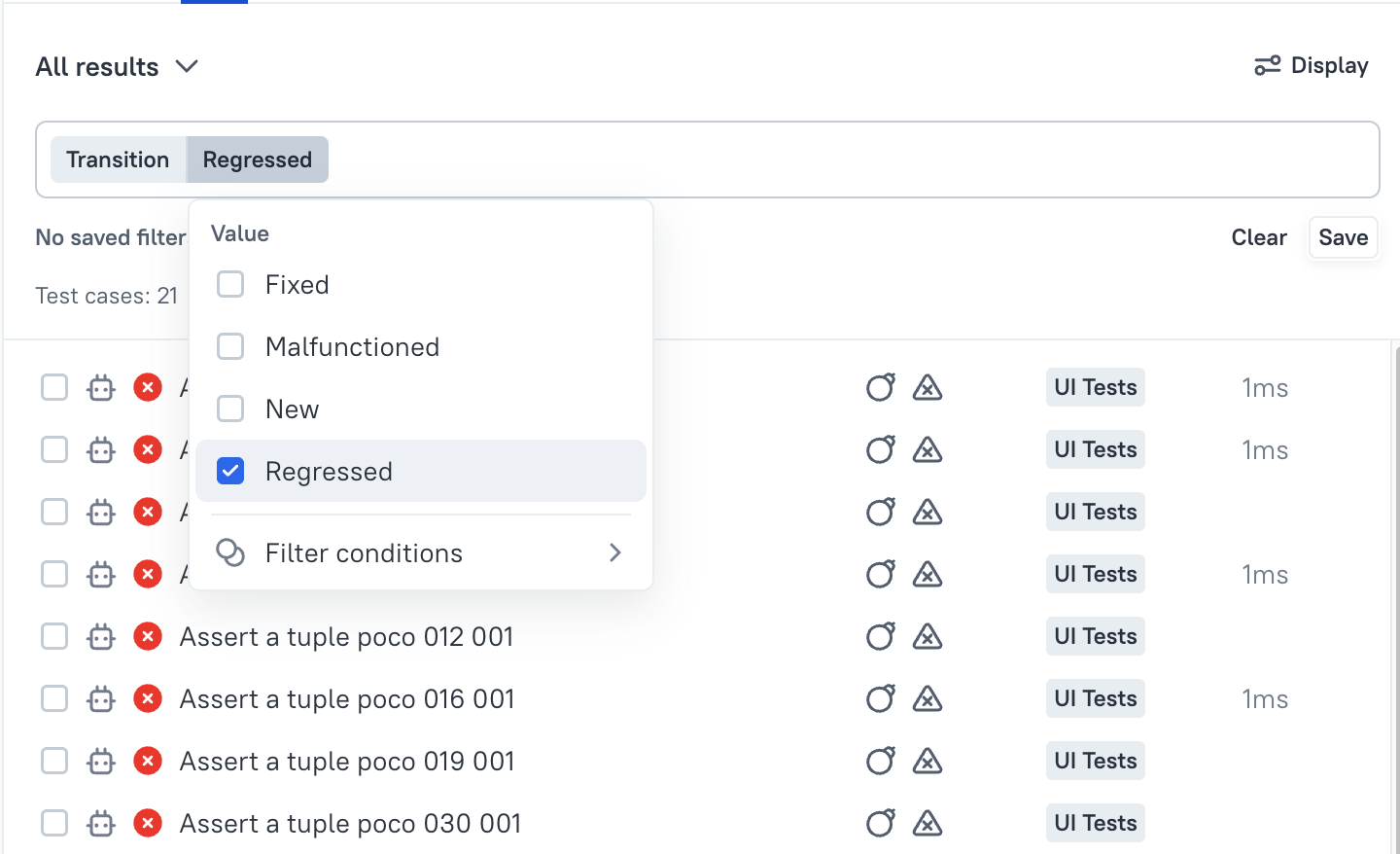
To see only tests that regressed or were fixed in a launch, apply the transition filter in the test results tree. Select Transition in the filter list, choose the transitions you want, and apply.
© Qameta Software Inc. All rights reserved.
