
Build quality gates
Automated tests already produce Allure results and CI needs a clear pass/fail signal before the next delivery step. You can build the gate from the report data itself, or from the reviewed launch state in TestOps.
Choose the gate type
Use a report-provided gate when CI should fail on measurable result data: failed tests, minimum test count, success rate, or test duration.
Use a TestOps launch gate when CI should wait for human or automated triage and continue only after the launch has no unresolved results.
Add a report-provided gate
Allure Report 3 provides quality gates evaluated from Allure result data, which work with or without TestOps.
Add the gate rules to the Allure runtime configuration:
qualityGate:
  rules:
    - maxFailures: 5
      minTestsCount: 30
Use .json or .yaml for built-in rules. Use .mjs or .js only when you need executable logic, custom filters, or custom rules.
For the full list of built-in rules and configuration options, see Quality Gate.
Validate the report gate locally
Run the tests locally with Allure 3 so the configured quality gate is applied as part of the run:
allure run -- <test command>
If you already have a completed allure-results directory and only want to check it without rerunning tests, use:
allure quality-gate --max-failures 5
If the gate fails, Allure returns a non-zero exit code and prints the failed rule in the console.
Add the report gate to CI
Upload from allure run to TestOps requires the @allurereport/plugin-testops plugin. Install it first:
npm add @allurereport/plugin-testops
Then add it to your Allure configuration file:
import { defineConfig } from "allure";

export default defineConfig({
  plugins: {
    testops: {
      options: {
        accessToken: process.env.ALLURE_TOKEN,
        endpoint: process.env.ALLURE_ENDPOINT,
        projectId: process.env.ALLURE_PROJECT_ID,
      },
    },
  },
});
The plugin reads ALLURE_TOKEN, ALLURE_ENDPOINT, and ALLURE_PROJECT_ID from the environment automatically, so passing them explicitly in options is optional — you can omit the options block if those variables are already set in CI.
In CI, upload starts automatically when a supported CI environment is detected:
allure run -- <test command>
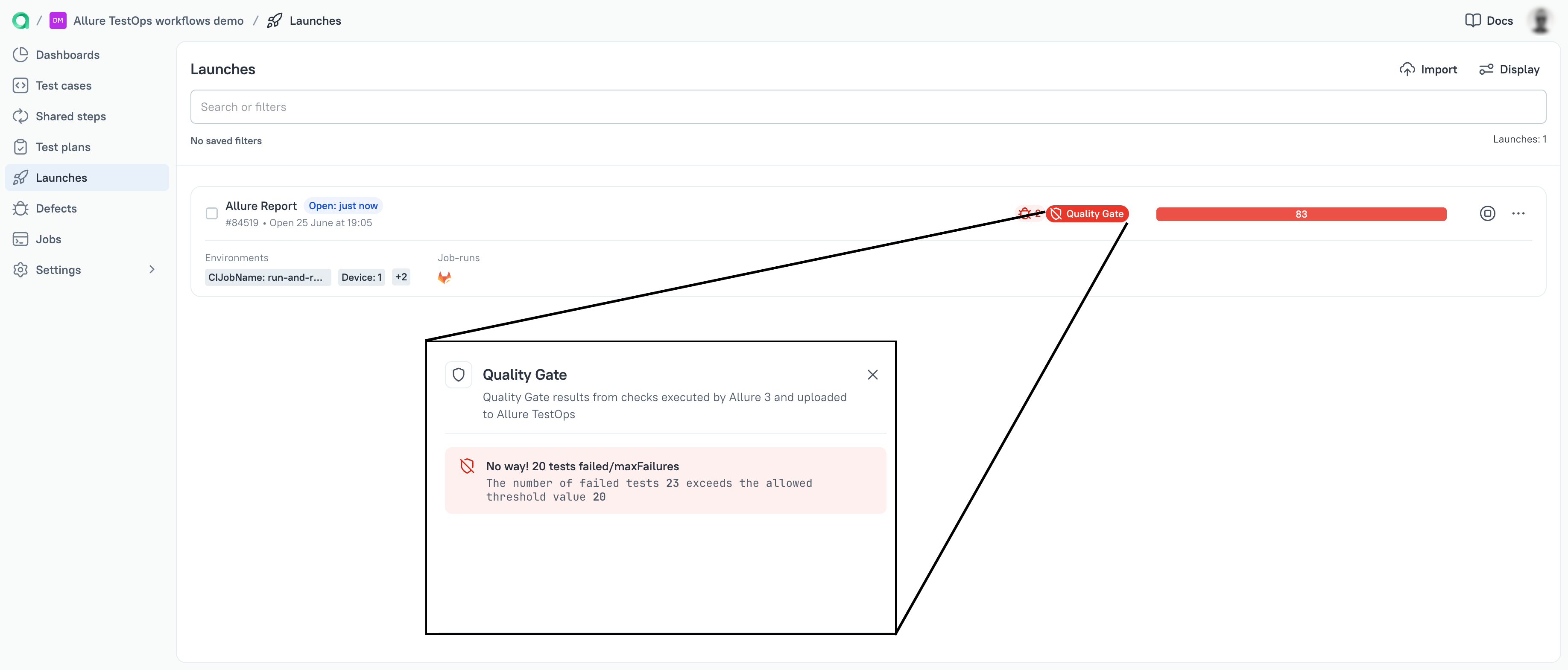
The plugin creates a launch in TestOps and closes it when the run finishes. The quality gate exit code is still returned by allure run. The launch in TestOps shows a quality gate failure marker, so the result is visible to the team without checking CI logs.
Add a TestOps launch gate
Use this path when the decision depends on triage in TestOps. The script waits for the launch uploaded by the pipeline and fails the job if the launch still has unresolved results after the allowed waiting time.
Build the script around this sequence:
- Get the TestOps Bearer token from the API token.
- Find the launch created by the current pipeline run.
- Poll the launch until the unresolved result count is zero.
- Exit with
0when the count reaches zero. - Exit with
1when the timeout is reached and unresolved results remain.
Use Swagger UI on your TestOps instance to confirm the exact operation and response fields: <your Allure TestOps domain>/swagger-ui.html.
For API authentication and the Swagger discovery flow, see API of Allure TestOps.
Next steps
- Defects for resolving known failures and using automation rules.
- Launches for launch review and unresolved results.
- API of Allure TestOps for deriving the exact script calls from Swagger.
