
Jobs
Jobs connect an Allure TestOps project to a CI pipeline so teams can upload results and trigger runs through a stable integration point. They can also carry job parameters that are passed to the CI system as environment variables.
When an execution of the CI pipeline is triggered, we identify its execution as a job run. A single launch may contain one or multiple job runs.
Normally, a job is created one time as part of the initial CI configuration or during the first run triggered from the CI system. After that, you can select the job when starting future test runs.
The project's job are listed in the Jobs section and can be edited there.
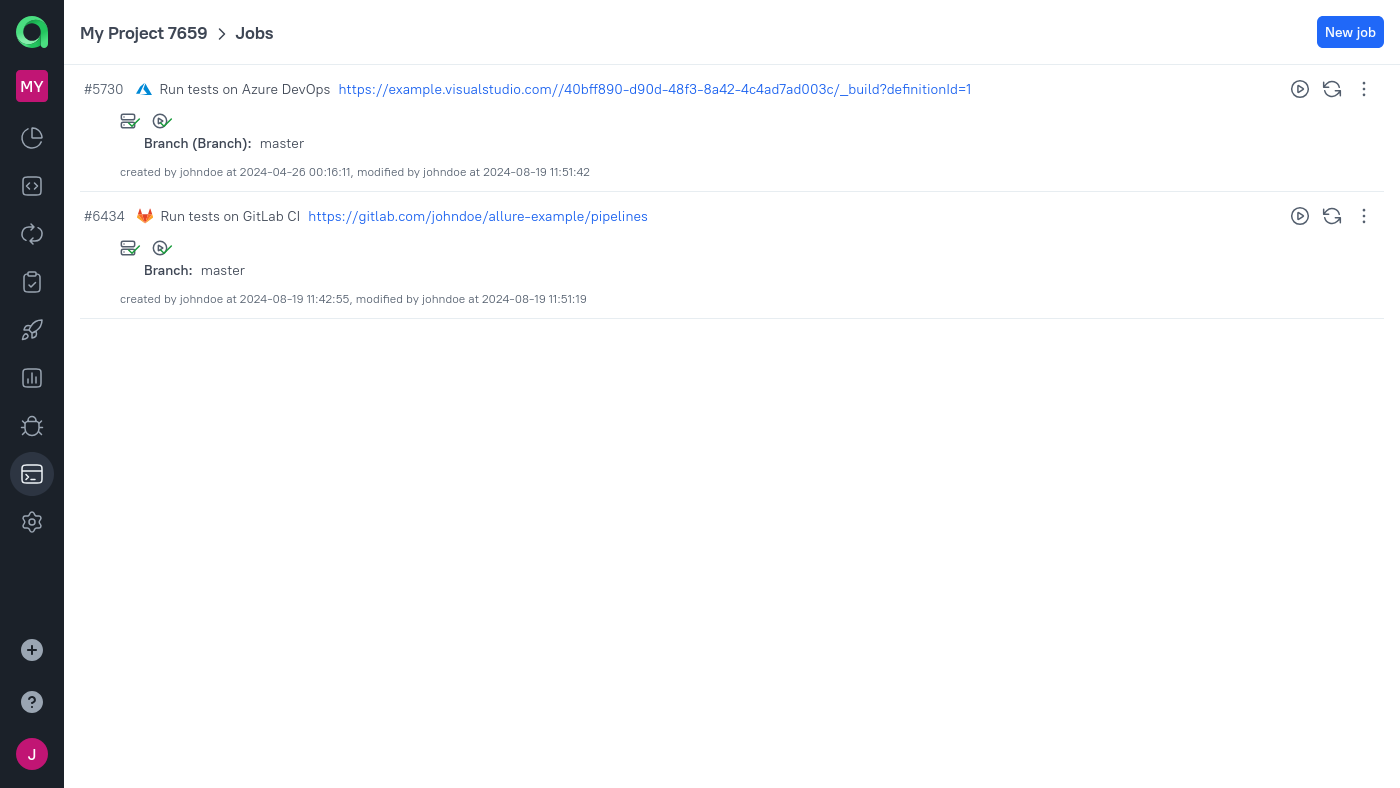
One-way vs two-way integration
Jobs can exist in two practical modes:
- One-way integration means the CI system starts the pipeline and uploads results to TestOps, but TestOps cannot start that job from the UI.
- Two-way integration means TestOps can also trigger the pipeline from places like Jobs, Test cases, and Test plans.
If TestOps receives results correctly but you cannot launch or rerun from the UI, the job is usually still operating in one-way mode.
Running tests via a job
Jobs can be used in two directions: Allure TestOps not only receives test results from the CI systems, but initiates new runs, optionally with specific parameters and test plans.
There are multiple ways to run test cases in a specific job.
From the Jobs section: click the Run job icon.
From the Test cases section: select test cases, open the Run dialog and click the Replace job icon on the Job tab.
From the Test plans section: on a test plan's page, open the Executors tab and choose the Assign job action for some test cases before running the plan.
If you never use a certain job for initiating test runs, you can hide it from these dialogs by going to the job settings and unchecking the Job can be used to run tests option.
What must be true for two-way execution
For TestOps to trigger a job reliably, all of the following should already be true:
- the CI integration is configured according to the documentation for that build server;
- the job has a Build Server selected in its configuration;
- Job can be used to run tests is enabled;
- the job parameters needed by the pipeline are configured;
- the job has been refreshed after relevant pipeline-side changes.
Job parameters
Job parameters are a link between the environment variables in Allure TestOps and the actual environment variables for the CI processes. For example, job parameters may control which browser will be used to run the tests.
Job parameters are configured in the job's configuration dialog. For each parameter, three fields are available:
- Name — the name of the environment variable on the CI system.
- Value — the default value for when the CI system variable is not present.
- Environment Variable (optional) — the global environment from the Allure TestOps global configuration.
These fields solve different parts of the pipeline contract:
- Name is what the CI pipeline expects.
- Value is the default runtime value.
- Environment Variable connects that CI variable to the human-readable environment model that TestOps uses in launches and results.
When initiating a job from Allure TestOps, you may override the job's parameters by creating one or more environments for the specific launch.
If a launch has one environment, its variables override the job's defaults for every task.
If a launch has two or more environments, Allure TestOps will create the corresponding amount of job runs, and in each job run the defaults will be overridden by a different environment.
Updating the job from CI system
When you click Update job from build server, Allure TestOps refreshes its view of the pipeline. Depending on the CI system, this may update default parameters and other pipeline-side metadata.
Use this after:
- selecting the correct Build Server for a job;
- changing pipeline parameters on the CI side;
- fixing a one-way configuration so the job can be used for two-way execution.
Some CI systems expose enough metadata for TestOps to refresh job parameters automatically. Others do not, in which case you still need to enter parameters manually and link them to the global Environment variables in TestOps.
