
Create a combined launch
After the first manual or automated launch makes sense, a combined launch lets the team review both kinds of evidence in one place. Use it when manual checks and CI-driven results belong to the same testing activity.
Add manual and automated work to one launch
Open your project.
Go to Test cases.
In the list of test cases, select the test cases you want to run using Ctrl or by selecting the checkboxes next to them.
At the bottom of the screen, click Run.
In the dialog that appears, go to the Job tab and make sure it displays the CI system where you want to run the tests. If necessary, use the Replace job button.
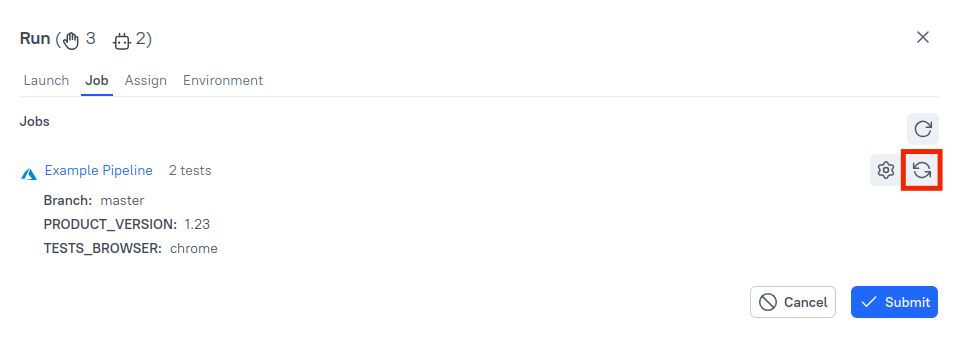
Skip this step if you don’t mind which CI system is used — for example, if you only have one CI integration configured.
On the Assign tab, select one or more manual QA engineers. Allure TestOps will automatically distribute the manual tests among them.
Skip this step if you want to assign manual tests to users later, after the launch is created.
On the Environment tab, specify the environments in which the tests should be executed. This may affect how many runs of each test Allure TestOps will create in the launch. For more details, see Environment.
Skip this step to use an empty environment for the manual tests and the job's default environment for the automated tests.
Click Submit.
The launch will be created, containing both manual and automated tests.
Alternative ways to combine manual and automated testing
If you initially created a launch with only manual or only automated tests, you can still add the other tests later.
To add manual or automated tests from the test case list:
- Go to Launches.
- Click
⋯next to the launch and select Add test cases → From test cases.- Click Submit.
To add automated tests from a test result file, go to Launches, click
⋯→ Add test cases → From test result files.
After passing the tests, click the Close launch icon in the upper-right corner of the open launch to close it.
Work with the combined launch
In a combined launch, team members may want to work separately on the manual tests and the automated tests. For example, one QA engineer may perform the manual tests and fill in their results, while another focuses on analyzing failures in the automated tests.
To filter test results by type:
- Click the search box above the test result list.
- Select Type in the drop-down list.
- Select the test type you need: Manual or Automated.
Re-run automated tests manually
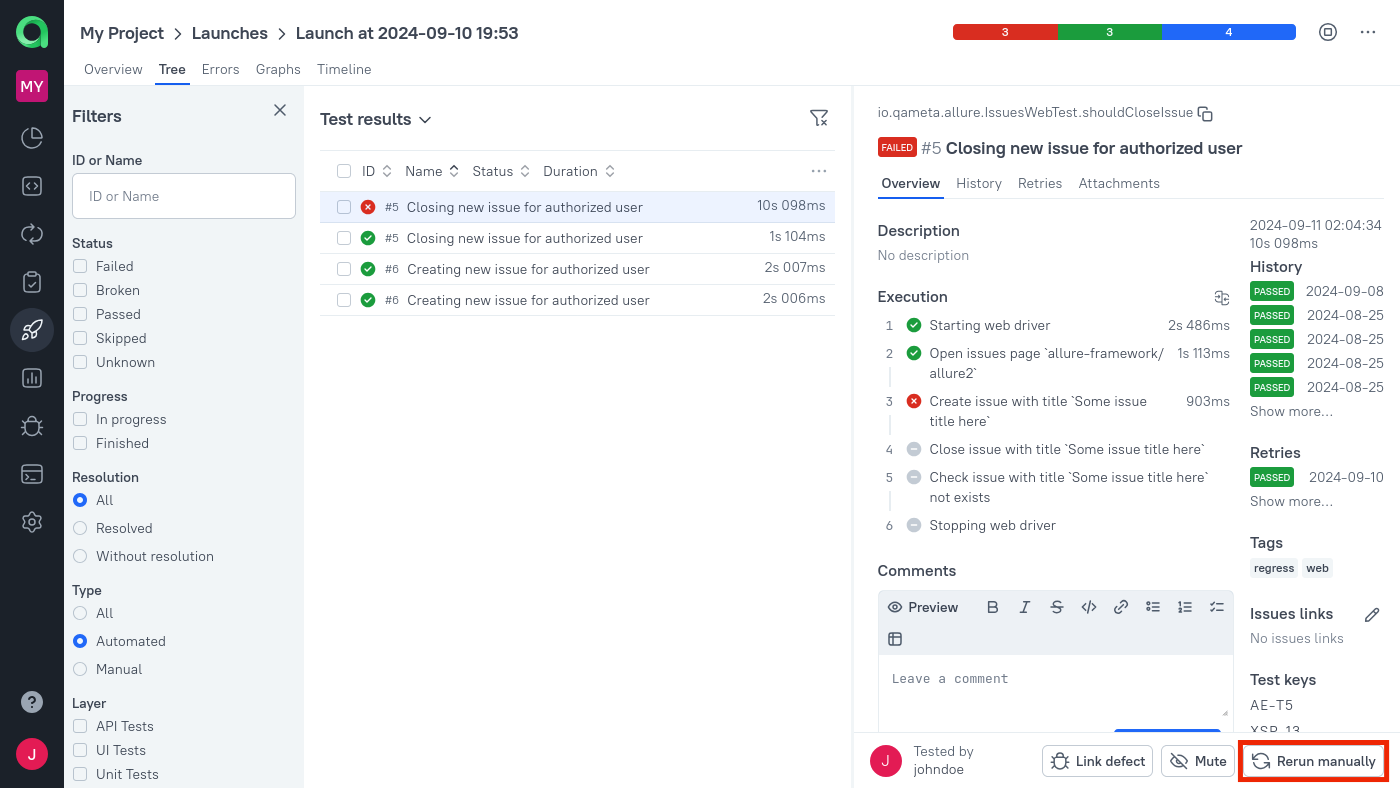
For each test, whether manual or automated, you can initiate a new manual run by clicking the Rerun manually button. The new run will override the previous one in terms of test status and various analytics, while the previous run will remain available in the history.
It is assumed that a manual QA engineer will perform the same actions that the automated test attempted. To assist with this, Allure TestOps provides the manual QA engineer with a scenario based on the steps generated by the automated test.
What's next?
- Continue with Next steps once the first evaluation flow is clear.
