
Review the first launch
Once you close a launch, Allure TestOps turns that execution into shared evidence the team can review together. The goal of the first launch is not perfect reporting depth. It is to confirm that the project, results, and collaborators all meet in one place and make the outcome easy to understand.
What to check first
- the right tests and statuses are present in the launch;
- teammates can open the same launch and see the same evidence;
- steps, attachments, and metadata are available where you expect them;
- the team can tell what needs attention next.
Resolve unsuccessful results before you close the launch
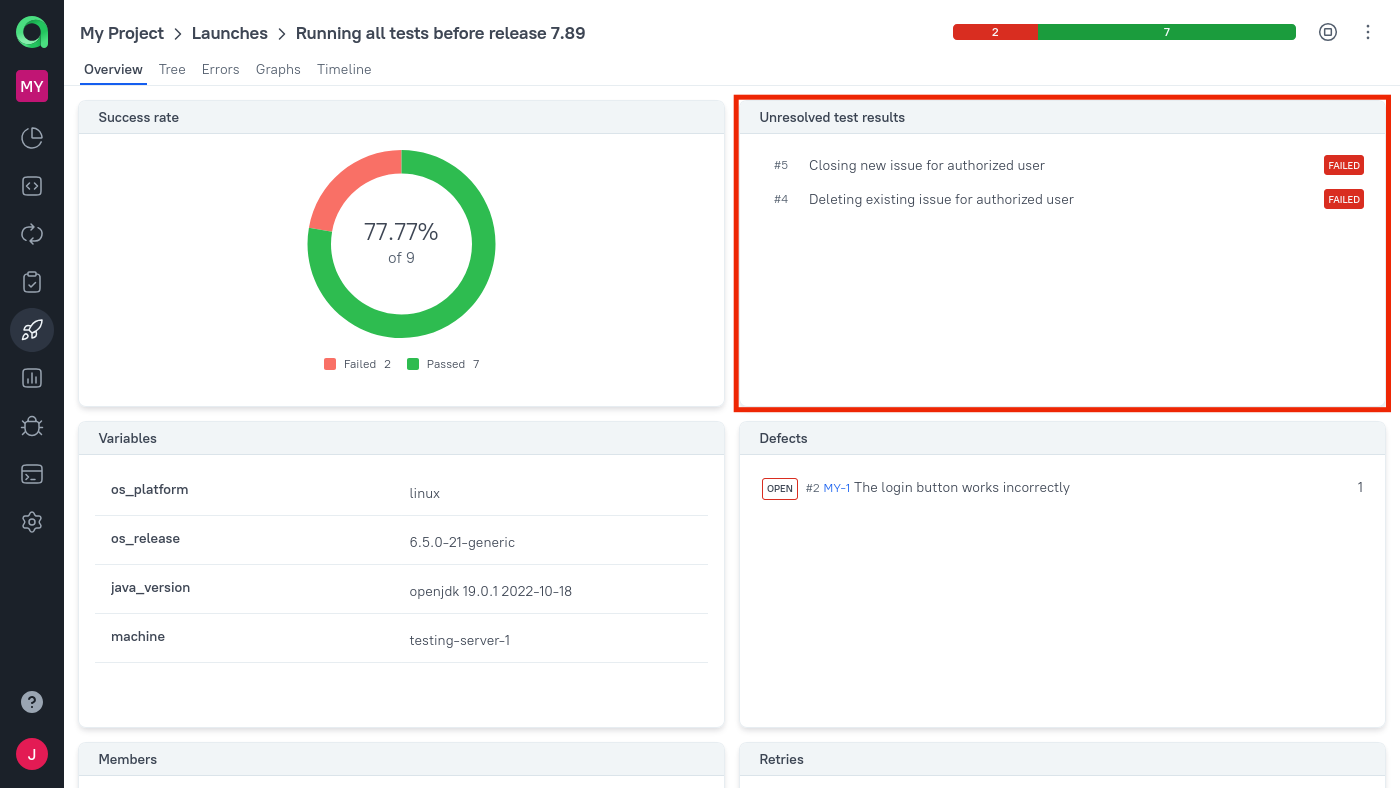
After you add results but before you close the launch, look at the Unresolved test results widget. To resolve a result means making sure that you understand why it did not pass in this launch or, at minimum, that it is already assigned to follow-up work.
If you think of the launch overview as the first shared record of your project's quality, the Unresolved test results widget is the checklist for finishing that record.
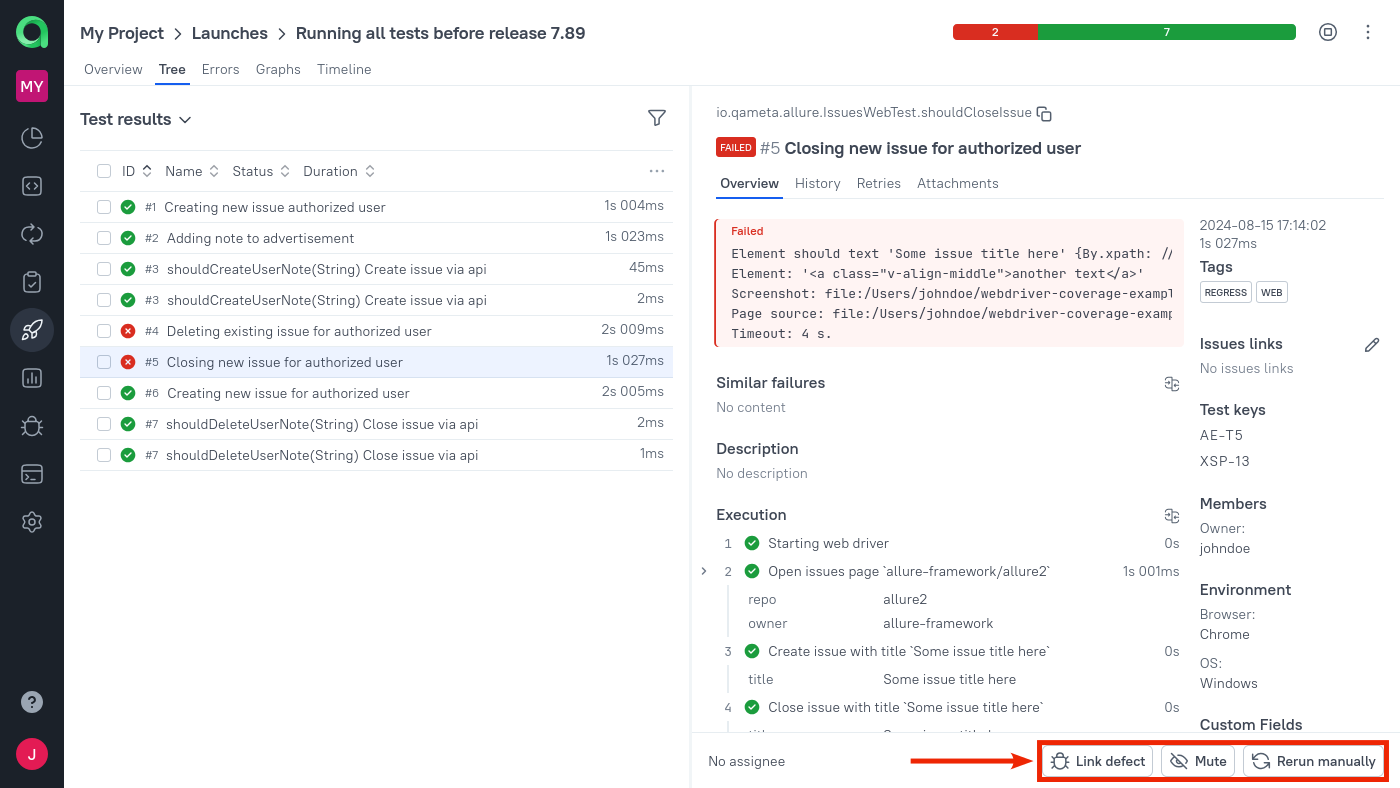
The three possible ways to resolve a test result are represented by the three buttons under its details.
Link the test result to a defect. A defect represents a known problem in either the product or the tests. This is similar to creating an issue in your project's issue tracker — in fact, you can enable an integration with an issue tracker to sync a defect's status with an external issue's status.
Mute the test. If the unsuccessful test result is not important enough to deal with it right now, you can stop seeing it by muting the test case. Note that the mute applies to the test case, not just to the current result. A muted test will be excluded from the launch's statistics: for example, if you had 9/10 tests passed, and you muted the unsuccessful one, it will look like you have 9/9 tests passed.
Rerun the test manually. If the later attempt passes, Allure TestOps will mark the issue as resolved and display the rerun information in the Retries widget. Attempts can be added not only by rerunning tests manually, but also by uploading new automated test results. The rerun method choice is independent of which method you used previously.
What success looks like
- the team can answer what ran, what failed, and why from one launch;
- launch history now represents the project instead of a one-off local report;
- the next useful improvement is clear: a combined launch, CI integration, issue tracker integration, or dashboards.
What to do next
- Create a combined launch if you want one place to review manual and automated evidence together.
- Connect CI so launches arrive automatically from pipelines.
- Connect issue tracker so defects and failures connect to delivery work.
- Set up dashboards when you want project health to stay visible between launches.
