
Error categories
Error categories classify test failures to make filtering and analysis easier. A category is a named, color-coded label that can be assigned to a failed test result.
Categories and automation schemas can be defined at two levels:
- Instance level — configured in Administration → Error categories. Rules defined here are available across all projects.
- Project level — configured in Project settings → Error categories. Each project can use instance-level rules or define its own.
How a category gets assigned depends on the test type:
- Automated tests — assigned automatically by matching the failure message or stack trace against a regex rule defined in the project's automation schema.
- Manual tests — assigned manually by the tester during test execution in a launch.
Configure categories and automation schemas
To automatically categorize automated test failures:
Find the exact text you want to match against — for example,
Element not foundfrom the failure message or stack trace.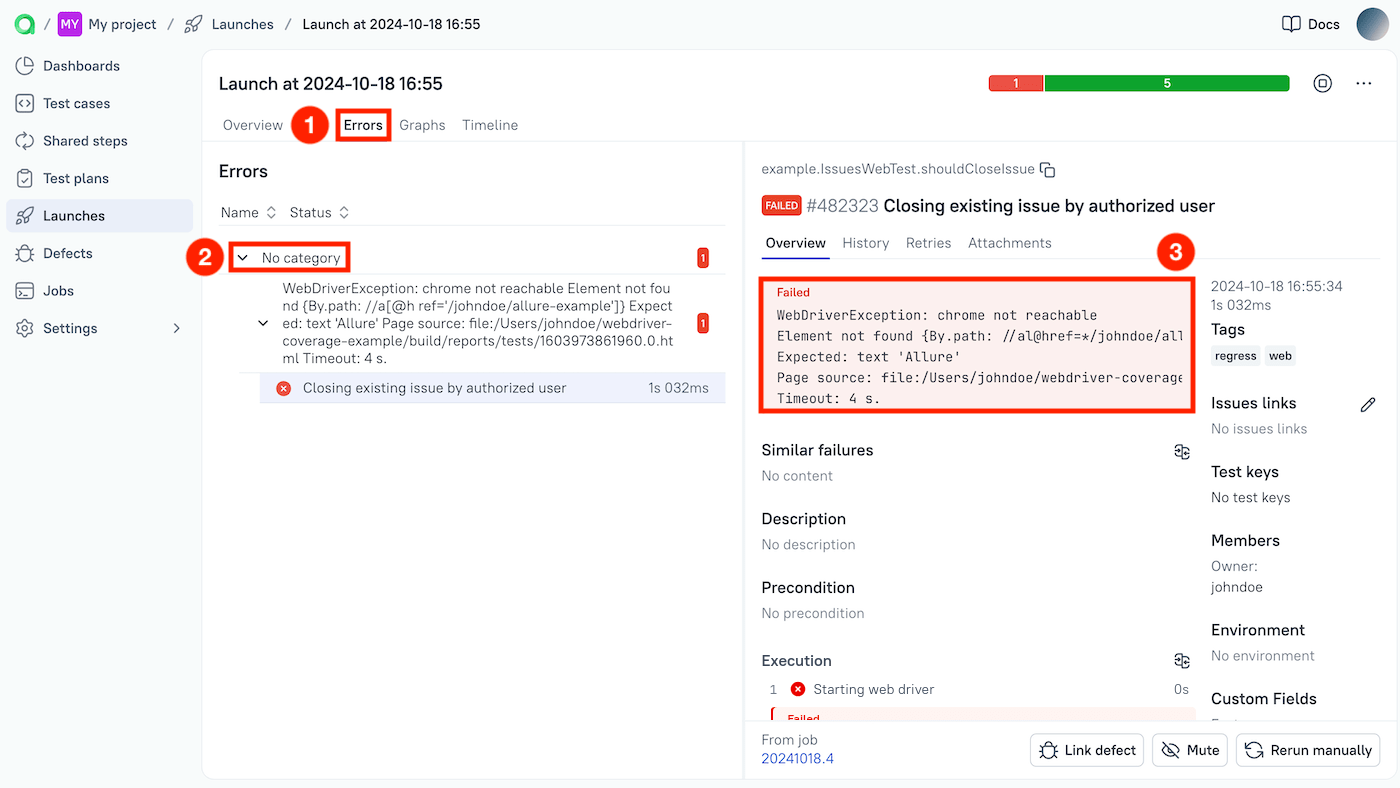
Go to Project settings → Error categories.
Under Categories, create the category:
- Click + Create.
- Enter a name — for example,
Elements are lost. - Pick a color.
- Click Submit.
Under Automation schemas, create the matching rule:
- Click + Create.
- Enter a name for the rule.
- Select the category you just created.
- In the Message regex field, enter the text to match — for example,
Element not found. - Click Submit.
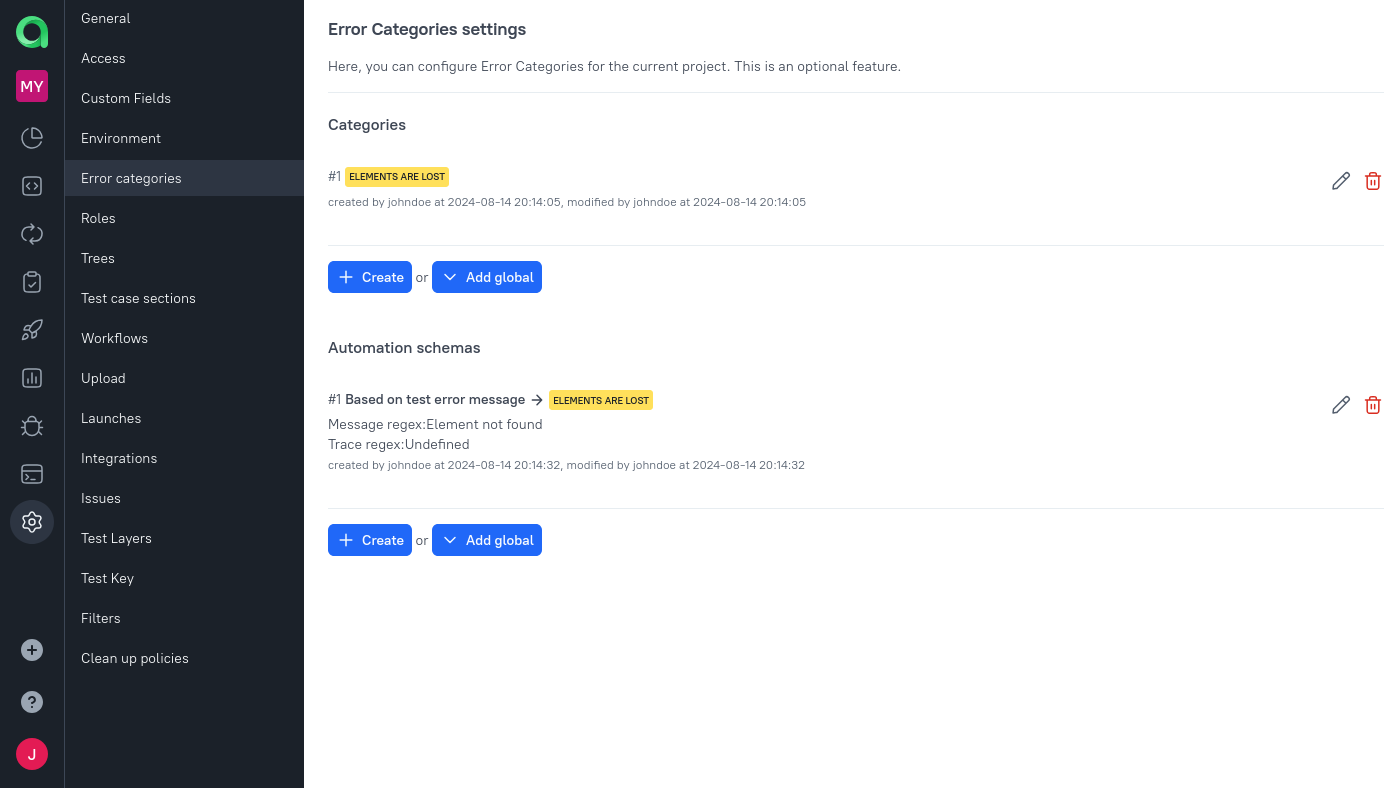
After saving, all subsequent automated test failures with a matching message will be automatically placed into the corresponding category.
© Qameta Software Inc. All rights reserved.
