How can we see unstable tests?
Question: As part of the constant enhancements we need to identify unstable (flaky) tests to improve our time to market. How can we detect unstable tests in Allure TestOps?
How to
This feature is available starting from release 26.2.1.2
Unstable/flaky test detection is a built-in feature in Allure TestOps. It works as follows.
When detecting that a test is unstable, Allure TestOps considers the 10 most recent test results and checks whether at least 3 status transitions have occurred.
What is status transition?
When a test's result changes between consecutive executions — from passed to failed or vice versa — this is considered a status transition.
For example, when a test case produces results with the following status transitions:
- Was PASSED -> Now FAILED or BROKEN
- Was FAILED or BROKEN -> Now PASSED
The table below demonstrates the moment when Allure TestOps starts marking the tests in test results tree as unstable.
| Result 1 | Result 2 | Result 3 | Result 4 | Result 5 | Result 6 | Result 7 | Result 8 | Result 9 | Result 10 |
|---|---|---|---|---|---|---|---|---|---|
| ✅ | ✅ | ❌ | ✅ | ✅ | ❌ | ✅ | ✅ | ✅ | ✅ |
| 1st | 2nd | 3rd | |||||||
| - | - | - | - | - |  |
|
|
|
|
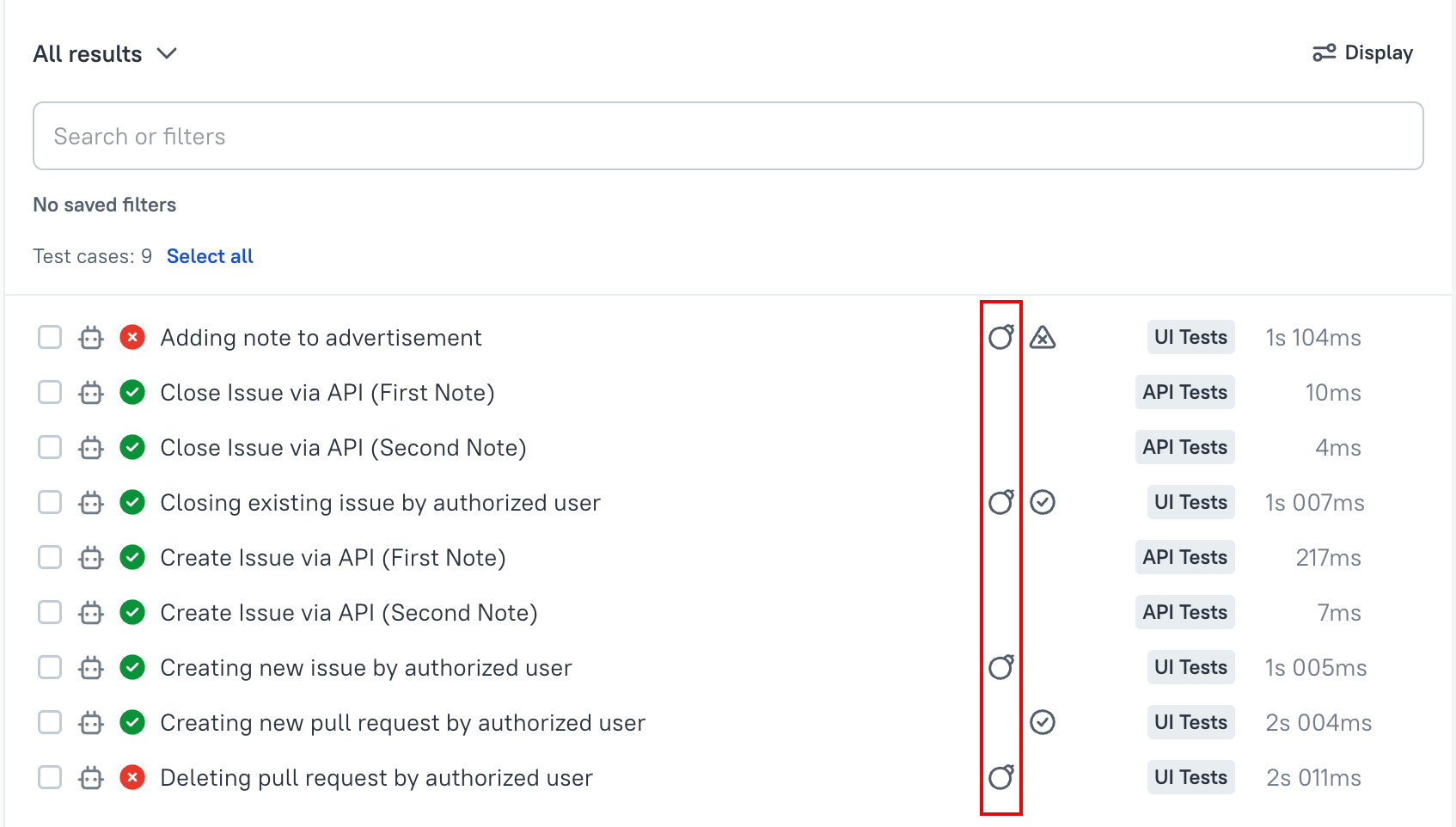
Tests marked as flaky are highlighted in the test results tree inside a Launch.
Are the retries considered when detecting flakiness?
Yes, retries are included in flakiness detection.
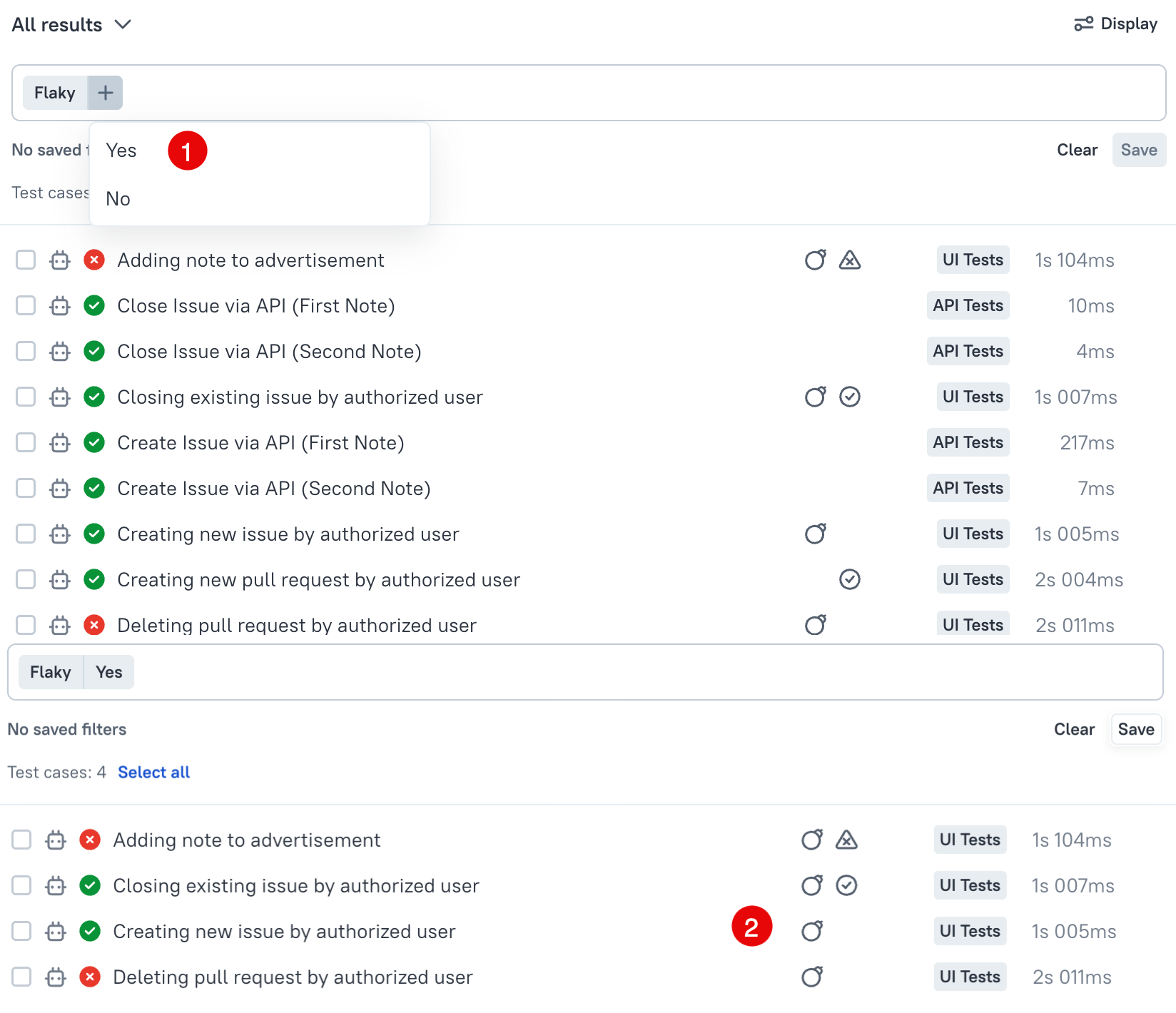
Can I filter test results in a launch to see unstable tests only?
Yes, indeed! There is "Flaky" attribute in the filters allowing you to see only the tests that are unstable.